

Dial Home Device (DHD)
Dial Home Device - DHD for short - are the basic input devices for stargates. They are devices with 38 buttons symbolizing the constellations visible from Earth in the case of the MilkyWay DHD or the constellations visible from Lantea in the case of the Pegasus DHD and a large activation button (big red button, big blue button).
DHD is not only a keyboard - an input device, but also a power source for the stargates it is connected to. DHD generates power from liquid refined naquadah using cold fusion. The DHD connects to the stargate automatically - wirelessly.
 |  | |||
Control Crystal | Control Crystal |
DHD needs a main control crystal to function. This is the crystal that directs the raw energy and stabilizes it. Therefore, the main control crystal is absolutely necessary for the DHD to function properly.
Entering a symbol is done by pressing the appropriate button with the corresponding glyph. Activating and deactivating stargate is done by pressing big button (big red button or big blue button). Only the outgoing wormhole can be terminated!
Variants
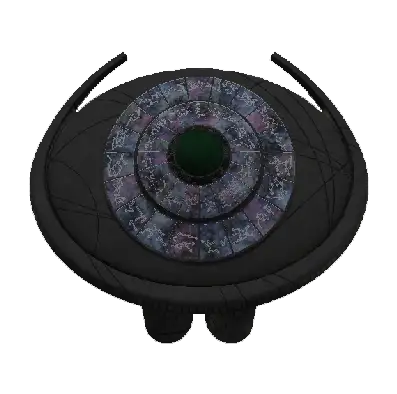
Section titled “Variants”There are 2 types of DHD: MilkyWay and Pegasus. Each of these types can only be connected to a certain type of stargate, depending on what addressing system the stargate and DHD operate with.
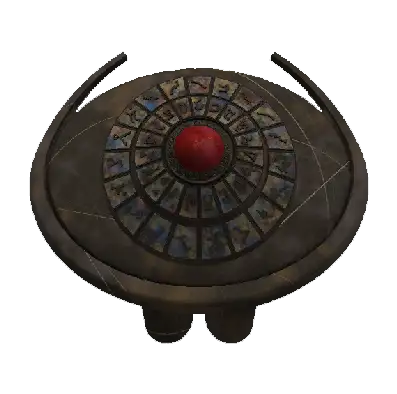 |  | |||
MilkyWay DHD can be connected to the following types of stargates: Movie, MilkyWay, Tollan
Pegasus DHD can be connected to the following types of stargates: Pegasus
Dialing helper
Section titled “Dialing helper”If the player is standing in front of the DHD and has a notebook page or a notebook with the correct address type in hand, a special feature called dialer helper is activated. This feature highlights the next button in the sequence.
 |  | |||
First 6 glyphs are colored turquoise, the 7th and 8th glyphs are colored purple, and the PoO is colored green.
Once the address is complete dialer helper will automatically turn off.
Dialer helper activation and dialer helper colors can be set in DHD config
Quick abort
Section titled “Quick abort”Pegasus DHD has a quick abort function. This function is only available for Pegasus DHD because address is stored in buffer - stargate enters symbols sequentially and if abort were to occur without this function, entry would be interrupted in the exact order in which the address was entered on the DHD.
This function is activated by pressing the Big Blue Button - BBB together with the SHIFT key. At this moment the DHD interrupts the input and stargate interrupts the input sequence. Before entering new address it is necessary to wait a few seconds so as not to interrupt the new input sequence.
This function interrupts input sequence for DHD and for stargate!
GUI (Interface)
Section titled “GUI (Interface)”DHD GUI can be opened by right-clicking on the rear bottom of the DHD. This GUI displays all useful information and allows installation of upgrades that extend the DHD’s functionality. Unlike the classic Minecraft GUI, there are pull-out tabs here. Some tabs only appear after installing the appropriate upgrade.

Description of individual slots:
- Slots (1) for upgrades crystal, allowed upgrades: DHD glyph crystal, efficiency crystal, capacity crystal
- Slot (2) for the main control crystal, allowed upgrades: Milky Way DHD Control Crystal, Pegasus DHD Control Crystal
- Slot (3) for inserting cold fusion reactor fuel, allowed upgrades: Molten Refined Naquadah Bucket
- Tank with Molten Refined Naquadah (4)
- Status lights (5): Insertion of control crystal, connection with stargate, cold fusion status
Overlay tab
Section titled “Overlay tab”This tab is used to change the texture of DHD. This is done by inserting a specific item or block into the slot in this tab. More about Overlays can be found in section stargates/stargate
New DHD models currently do not have the ability to change textures based on location in a biome / dimension
Upgrades
Section titled “Upgrades”DHD can be equipped with upgrades, all upgrades can be placed in the DHD GUI in predefined positions. All these upgrades add additional functions or improve the functions / features of the DHD. These upgrades are not required for normal operation of the DHD and Stargate.
 |  |  | ||||
- DHD glyph crystal: This upgrade allows you to lock 8 and 9 chevron on stargate - dial address with 8 and 9 glyphs
- Efficiency crystal: This upgrade increases efficiency of cold fusion. After inserting crystal, efficiency of cold fusion increases by 1.4x
- Capacity crystal: This upgrade increases the internal storage of liquid naquadah. Once inserted, the capacity will be doubled
Universe dialer
Section titled “Universe dialer”Universe Dialer is a portable version of the DHD for Universe stargate. Universe Dialer cannot power stargate, but it does have features that a regular DHD does not have, e.g. dialing nearby gates, storing addresses in memory, manual dialing or displaying stargate status
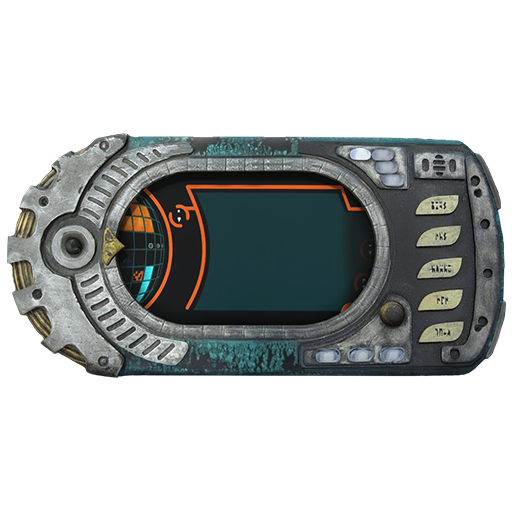
mouse wheel while holding down the ctrl key. Scroll within sections (in the list) using the mouse wheel while holding down the shift key.