

Getting started with Stargates
A stargate is a teleportation device created by the Ancients to allow them to easily and almost instantly travel not only within and between the Galaxy, but even across the universe. Each gate has its own set of symbols for a given region (galaxy).
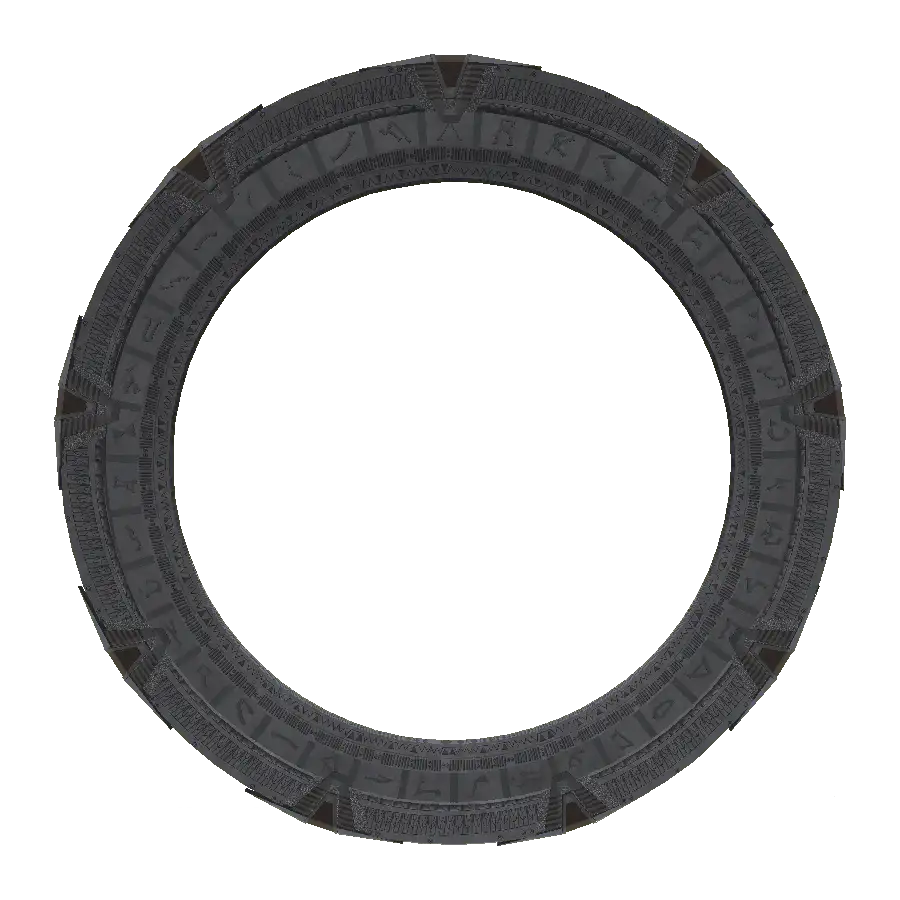
Since there are no galaxies or distant planets in Minecraft, the above system is modified so that stargates can be used in the game. Therefore, multiple stargates can be placed in 1 dimension and gates can also travel between dimensions. More about traveling between dimensions in Dimensional Groups.
JSG adds stargates, DHDs and devices that were seen in the SG-1, SGA, SGU series and movies. The mod focuses on faithfully handling the models and functional mechanics e.g. Entering the address on the DHD by pressing physical buttons.
Address system
Section titled “Address system”Almost every type of stargate has its own coordinate (address) system - symbols that the gate works with.
The mod contains 3 types of address systems. All symbols including all information can be found in Stargates/Glyphs section
MilkyWay
Section titled “MilkyWay” |  |  |  |  |  |  |  |
Stargates types that work by using this system: MilkyWay, Movie, Tollan, Orlin’s stargate
Pegasus
Section titled “Pegasus” |  |  |  |  | 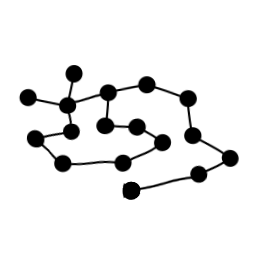 |  |  |
Stargates types that work by using this system: Pegasus
Universe
Section titled “Universe” |  |  |  |  |  |  |  |
Stargates types that work by using this system: Universe
Selecting the correct type of address system:
Section titled “Selecting the correct type of address system:”Each stargate has these 3 types of addresses - these addresses are used to create a connection between stargates.
The required address type must be selected according to the type of stargate from which the address will be entered.
Therefore, it is not possible to create an outgoing connection from a Pegasus stargate using the MilkyWay or Universe address systems.
Stargate address assignment
Section titled “Stargate address assignment”Each Stargate address is unique. There are several parameters used to create the address: The x,y,z coordinates and dimension in which the stargate base block is located.
Since the address is bound according to the parameters listed above, the Stargate address can be preserved in several ways:
- By breaking the old stargate and building a new one in its place
- Changing Stargate address using command
Another welcome feature is that multiple stargates can be placed in one chunk
Address length
Section titled “Address length”Stargate addresses consist of 6, 7 or 8 symbols + Point of Origin (PoO) (from here on will be listed with PoO included in the count) and its minimum length is affected by the following parameters:
- Types of stargate address system that dials the address and destination stargate
- Dimension / Dimension group containing stargate that enters the address and the destination stargate
- PoO is always the last glyph in the address but may not always be displayed
| | | | | |  |
7 glyph addresses can be used under the following conditions:
- Both stargates are located in the same dimension/dimension group and use the same address system
- If the parameter
Need only 7 symbols between Uni gatesis enabled in the stargate config, Universe gates can be dialed with 7 symbols regardless of the dimension / dimension group when using the Universe address system
| | | | | | | |
8 glyph addresses are required under the following conditions:
- Stargates that dial addresses using the MilkyWay address system when the destination stargate uses the Pegasus address system and vice versa
- Both stargates use the same address system, but are located in different dimensions/dimension groups
| | | | | | | | |
9 glyphs address (full address) is required under the following conditions:
- Stargate that dials addresses using the MilkyWay address system where the destination stargate uses the Universe address system and vice versa
- Stargate that dials address using the Pegasus address system where the destination stargate uses the Universe address system and vice versa
Construction
Section titled “Construction”Stargates are multi-block structures that consist of a Base Block, Ring Blocks, and Chevron Blocks. The only exception is the Orlin’s gate, which consists of only a Base Block and Member Blocks.
After placing the Base block, stargate can be built in several ways: !- By placing the appropriate blocks in the correct position !- By clicking the appropriate blocks on the Base Block - blocks will automatically place themselves in the correct position
The size, shape and number of blocks depend on the set gate size in Stargate config
 |  |
Once all the blocks have been placed, the multi-block structure will automatically connect to form a stargate. You will know this by blocks disappearing and a functional stargate being placed in their place.