

Orlin's Stargate
An Orlin’s stargate is the smallest gate, and it is also crafted from available materials. This is its handicap - the gate can only be activated once and then it burns out - the gate cannot be activated again. The undeniable advantages of this gate include that even if it burns out, it can accept an incoming wormhole, and this gate is the only stargate that cannot accept a RIG.
Crafting
Section titled “Crafting”Common materials are used for crafting, e.g. Copper, Redstone, Paper, Titanium … The only special thing needed for crafting is notebook page with an address - this address specifies which gate the orlin’s stargate will connect to. For crafting, you always need a MilkyWay address with exactly 7 glyphs (6 glyphs + Point of Origin)
There are several ways to get this address:
- Get MilkyWay address from destination stargate
- Print the desired address (for example a reserved address) using a printer
Construction and Variants
Section titled “Construction and Variants”Orlin’s stargate can be placed in all directions - facing north, south, east, west and even up and down. The position of a stargate does not determine whether it can be opened - e.g.: Stargate facing south and stargate facing downwards can connect.
Orlin’s stargate is the only one that has several model variants. The choice of model depends on the placement of stargate.
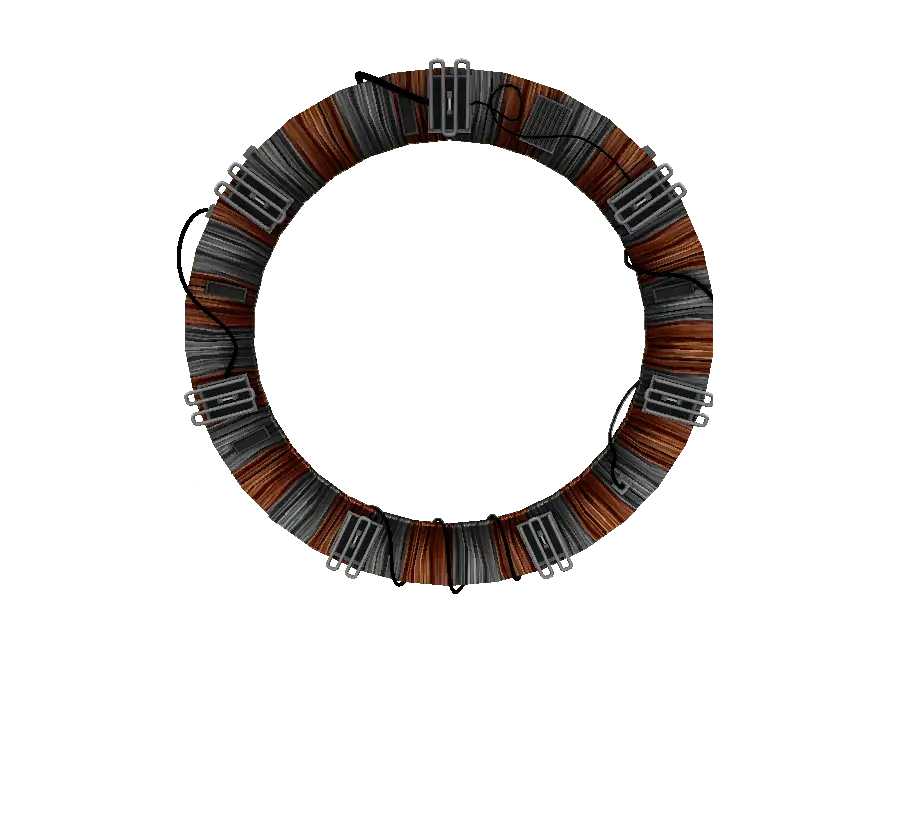 | 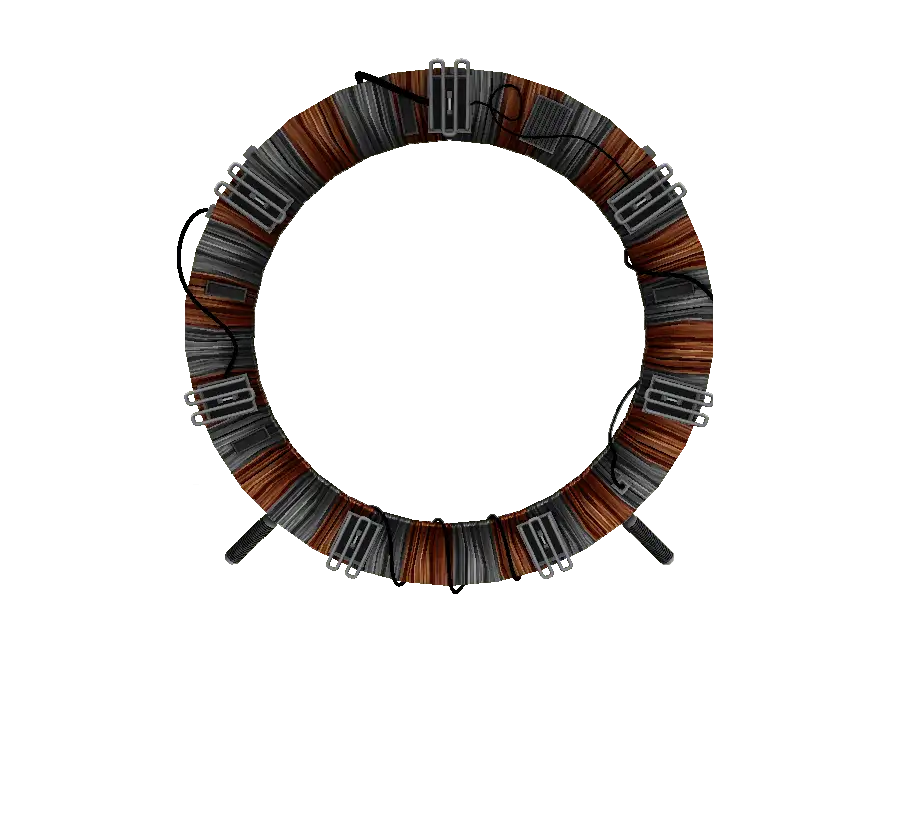 | 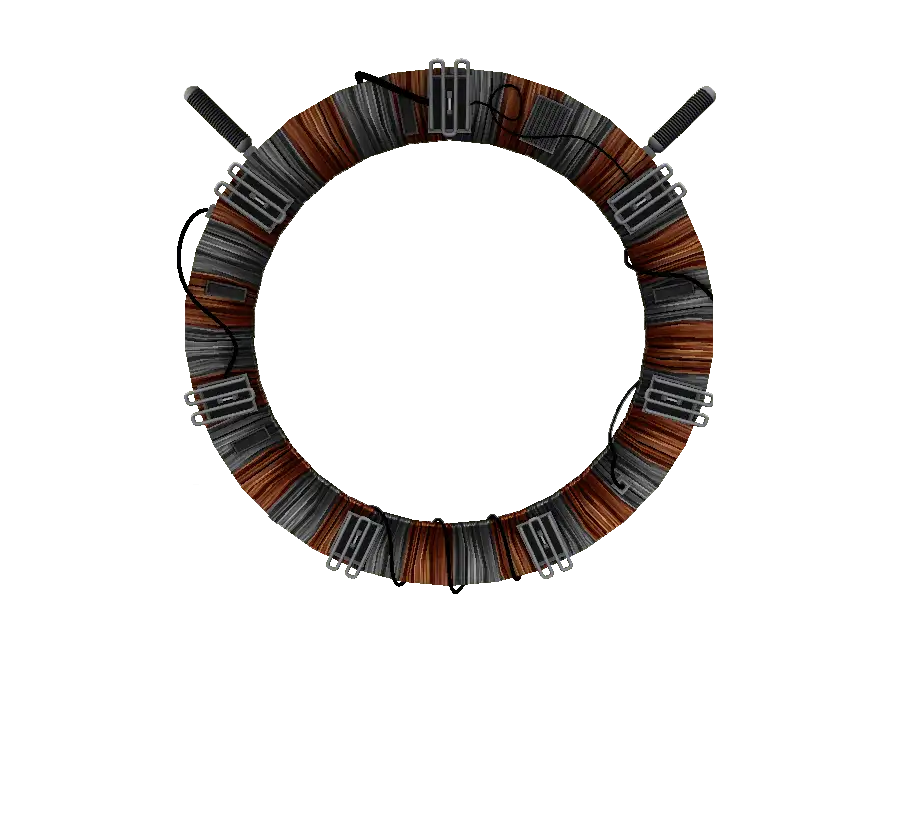 | 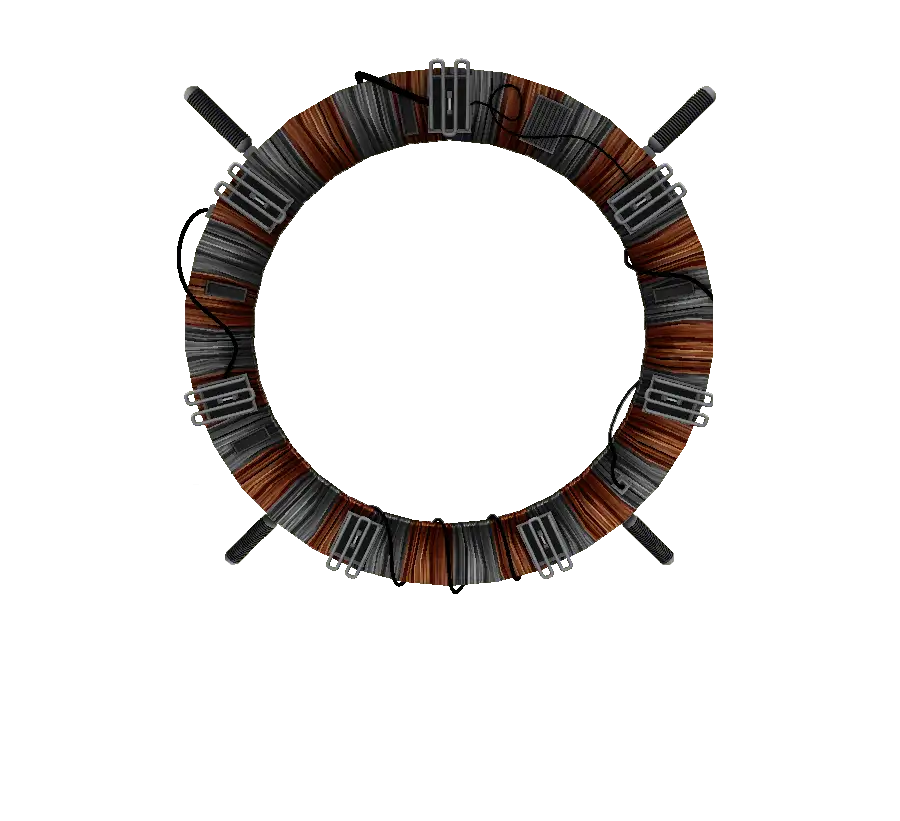 | 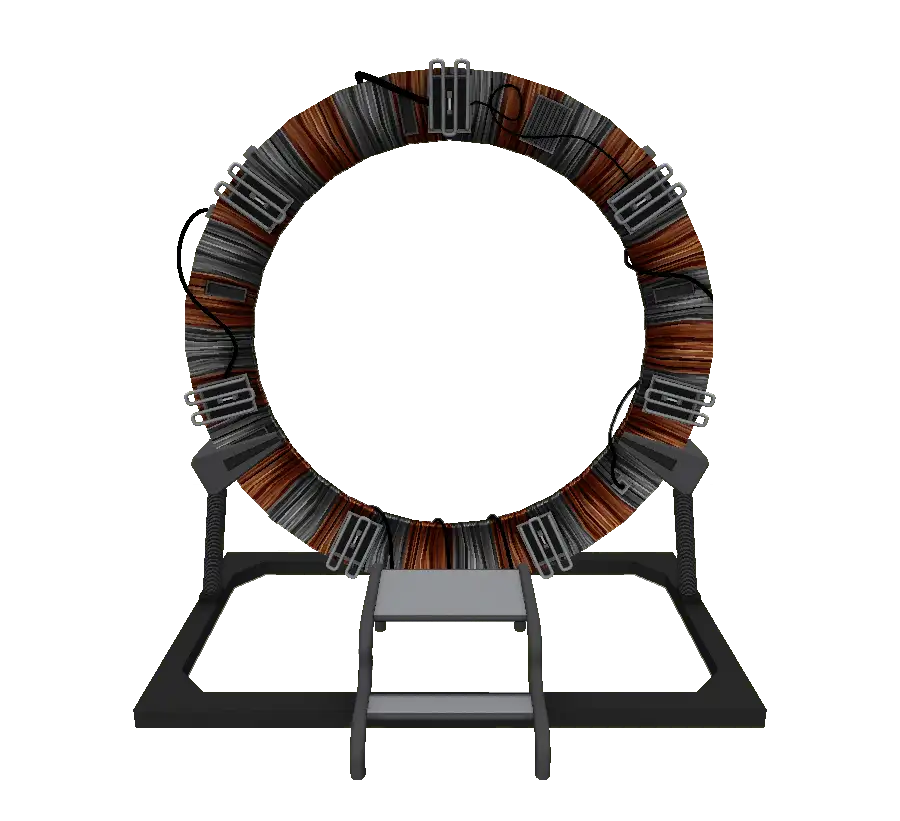 |
Just Stargate- if Orlin’s stargate is placed in the air or none of cases below are met, the Orlin’s gate does not contain any additional devices. It is therefore just the stargate itself.With Bottom Supports- If the lower outer blocks touch other blocks on their outer sides, stargate is equipped with insulators that support stargate.With Top Supports- If the upper outer blocks touch other blocks on their upper sides, stargate is equipped with insulators with the help of which the gate hangs from these blocks.With Ramp- If the base block of Orlin stargate touches another block with its bottom, the stargate is equipped with a ramp
Getting address
Section titled “Getting address”Orlin’s stargate does not have a fixed (reserved) address. Before it is activated, it’s necessary to obtain it. Unlike other types of stargates, where the address is obtained from the GUI, with Orlin’s gate it is obtained in another way.
The process of getting the address is simple. Just click on the Base Block of a merged Orlin’s stargate with an empty notebook page. Only the MilkyWay address can be obtained from the Orlin’s stargate and there is a chance that the attempt to get the address will fail and instead of the full address, an address with missing symbols will be written on notebook page. Addresses with missing symbols cannot be merged into one address.
Activation
Section titled “Activation”Orlin’s stargate must be properly charged before use. Charging is done by connecting a power source to any of the Orlin’s stargate blocks. The stargate has no charge indicator, so to check the charge status, you must right-click on the stargate Base Block. After this action, several important pieces of information will be displayed in the chat in this format:
Energy Stored: Storage (Required: Required, Time s)
Section titled “Energy Stored: Storage (Required: Required, Time s)”Storage:The current charge of the stargate, this text changes color according to the charge status. If the gate is not charged to the desired value, the numeric data is red. Once the gate is charged, the text turns green.Required:The amount of energy required to create a stable wormholeTime:The amount of time in seconds it will take for the stargate to charge to the required amount, if the energy source supplies the same amount of energy throughout the entire time
Once Orlin’s stargate is fully charged, it can be activated. Activation is done by applying a steady redstone signal to either side of the Base Block.
Deactivating the stargate can be done in several ways:
- Cut off the power supply and wait until Orlin’s stargate runs out of power
- By interrupting the redstone signal
Burnout
Section titled “Burnout”Orlin’s stargate can only be used once. Each time it is used - when the stargate creates an outgoing wormhole and the connection is terminated - the stargate wears out and then burns out. When the stargate is burned out, the stargate can only accept a wormhole, but will no longer create outgoing wormholes. At the same time, incoming wormholes will not cause the stargate to wear out and burn out.
Number of uses can be set in stargate config.
 |  |
A burned out Orlin’s stargate can be easily distinguished from a functional Orlin’ stargate. While a functional stargate has intact heating coils and no soot on it. Burned out stargate has all heating coils broken and is covered with soot from electrical discharges. At the same time, the texture of the member blocks changes - the coils are burnt out.
If Orlin’s stargate is functional, blocks with data on the number of uses and in the case of a Base Block, data of address that stargate should dial are dropped.
If the stargate is burned out - these burned out blocks cannot be obtained. Drops from these blocks is random according to the following rules:
Base block:
Section titled “Base block:” |  |  | ||||
Member block:
Section titled “Member block:” | | | ||||