

Manual Dialing
Without entering the address by pressing buttons on the DHD and entering the address using Redstone Input, manual entry is another method of creating a stable wormhole.
This entry also requires a sufficient amount of energy to create the wormhole and subsequently keep the gate active.
Milky Way Stargate
Section titled “Milky Way Stargate”Universe Stargate
Section titled “Universe Stargate”Universe stargate has a unique dialing system - dialing from a list of saved stargates or dialing stargates within range.
Manual dialing itself cannot be done in the same way as with the Milkyway stargates - by rotating glyph ring (in this case the entire stargate), but is done using a dialer.
Its necessary to select the Dialing category and then select the symbols from the symbol menu that the stargate should enter. Confirm the selected symbol and add it to the current address by pressing the right mouse button.
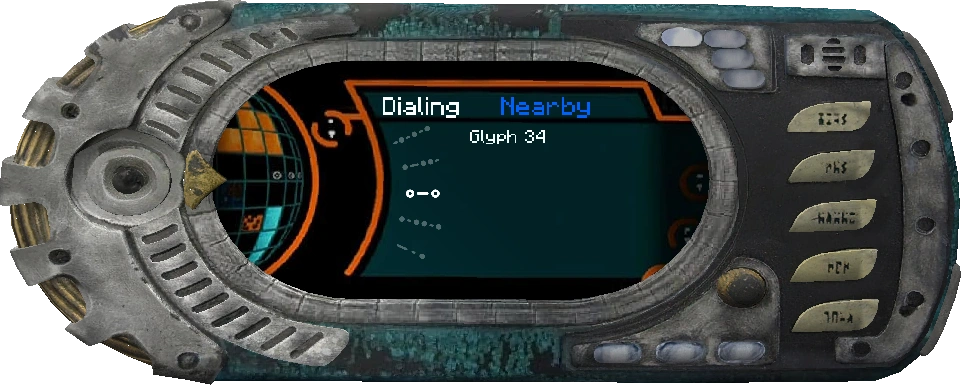 | 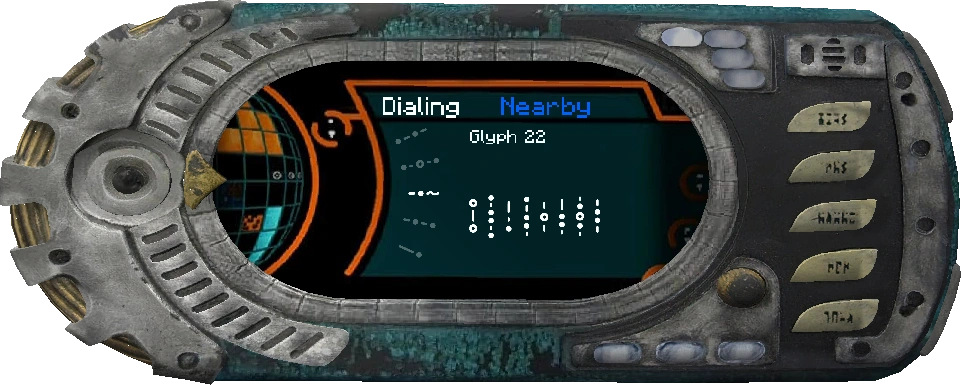 |
When address is completed, it must be confirmed - this confirmation is done by holding shift key + clicking the right mouse button.
Once the address is confirmed, it is dialed by stargate.
Dilaing sequence can be interrupted at any time by pressing the shift key + clicking the right mouse button.